Be My Eyes
Be My Eyes
Welcome to this section of our Digital Hub. This video will demonstrate Be My Eyes, a free and innovative app which connects blind and visually impaired individuals with sighted volunteers and specialised help, offering practical solutions and a new level of independence.
What is Be My Eyes?
Be My Eyes is a free app designed to assist blind and visually impaired people with everyday tasks. Launched in 2015, the app connects users with a global network of volunteers via live video calls. Whether it’s reading labels, navigating new environments, or checking out an outfit, the app provides real-time sighted assistance at the touch of a button. This means that you no longer need to be reliant on a sighted family member or friend to provide you with visual assistance, you now have instant access to a whole community of sighted volunteers at your convenience.
The Be My AI Feature
Be My Eyes recently introduced an exciting new feature: Be My AI. Powered by advanced artificial intelligence, this tool allows users to receive immediate, descriptive feedback without needing a human volunteer. From identifying objects to summarizing text in documents, Be My AI enhances accessibility and independence like never before.
Not only can you take a picture and have it immediately described in picturesque detail, you can also ask AI follow up questions to further enhance the descriptions.
For example, you may take a picture of yourself and then ask Be My AI to tell you if your make up has been applied correctly.
You can also share a picture that you have received to Be My AI and it will generate an insightful description. It has been really rewarding for me when I have had a service user who is completely blind and has shared a picture of her grandson and had him described in the most beautiful of detail to her!
Be My Eyes on Meta Ray-Ban Glasses
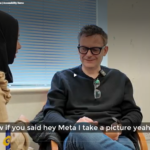
Taking innovation a step further, Be My Eyes is now available on Meta Ray-Ban smart glasses. This integration lets users access the app hands-free, using the glasses’ built-in cameras at a user’s eye level and voice control. It’s an excellent option for those who want to navigate their surroundings more seamlessly or multitask while receiving assistance.
The glasses are a mainstream and trendy product providing high quality, seamless and discreet support.
How to Download and Use Be My Eyes
- Download: Find the Be My Eyes app on the Apple App Store or Google Play Store.
- Sign up: Create a free account as a visually impaired user or a volunteer.
- Connect: Open the app, tap the call button, and you’ll be connected to a volunteer or specialised help.
- Explore Be My AI: you can now activate the AI feature for quick assistance.
How Volunteers Can Get Involved
If you’re a sighted individual, becoming a Be My Eyes volunteer is a rewarding way to make a difference. Volunteers simply download the app, sign up, and respond to calls when available. It’s flexible, impactful, and takes just a few minutes of your time.
If you feel that you would prefer to offer your skills to volunteer in person, then Galloways also have an array of other volunteering opportunities across Lancashire and Sefton.
Let Us Help You Get Started
If you need guidance, the Galloways Learning Skills Coordinators, Nadia and Jenny, can book you in for an appointment, so get in touch. They’ll help you download, set up, and practice on the app to ensure you’re comfortable using it. This is all part of our Learning Skills & Lifestyle programme.
Together, we can embrace the power of technology to make life more accessible and fulfilling for everyone in our community!